

To be honest I was not looking forward to this challenge. Coding is something that is that I honestly thought I would not be able to do. I have a very talented brother who has been a computer programmer for many years. I know that he has experience in platforms such as Java and C+ and his University text books were enough to give me nightmares. So here it goes (with no help from my brother at all)…..
The Shark challenge: Well I started this process before the code instructions were updated. Hmm… I was thinking at times, this is not working. So, I left it and went back to it several times over and over again. Through lots of trial and error, I worked out how to make the variable and name it “score”. I have played around the program and have made some alterations to the original code. The best thing I discovered was that I could not break the computer, that it was okay to make mistakes, as you never know what you can learn by making mistakes. Please find below the link to my shark coding game.
https://scratch.mit.edu/projects/305601118/
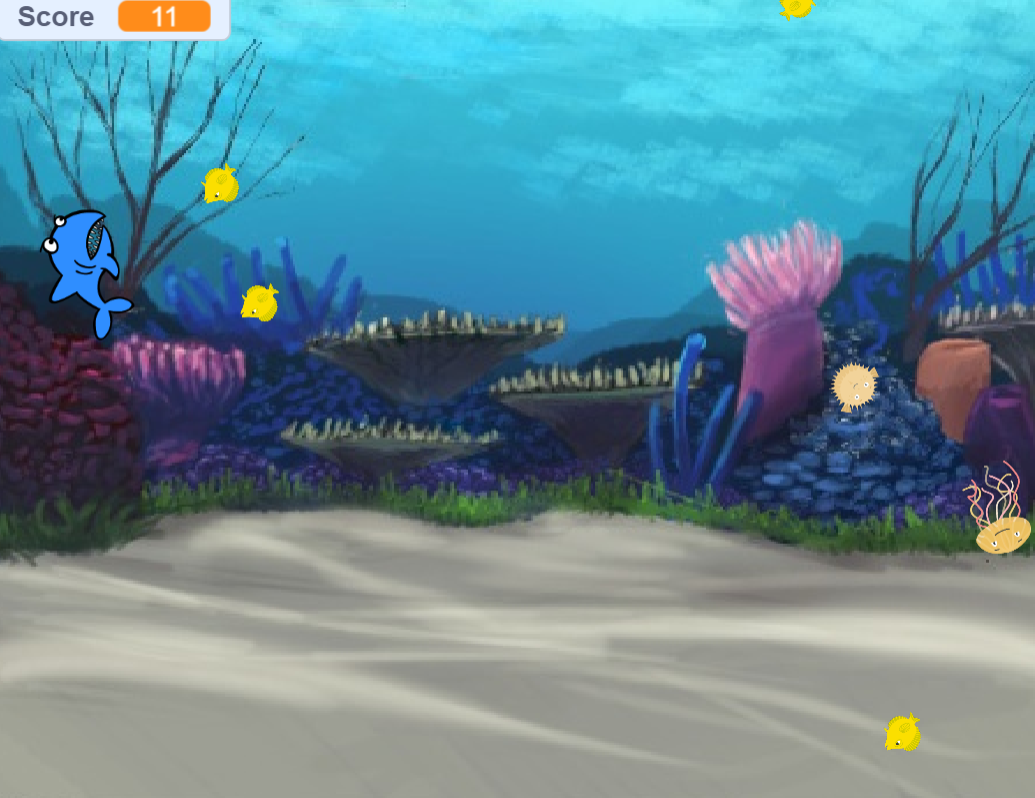
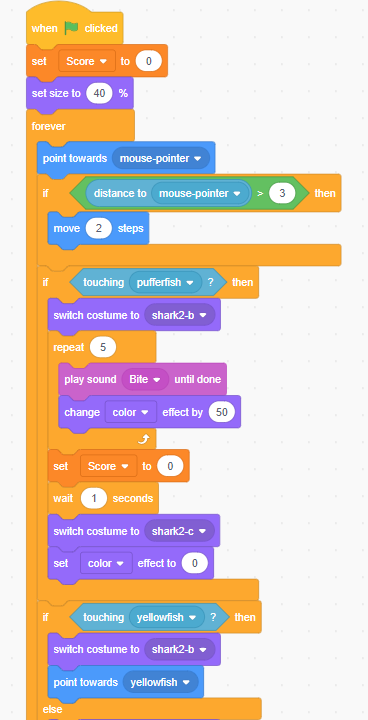
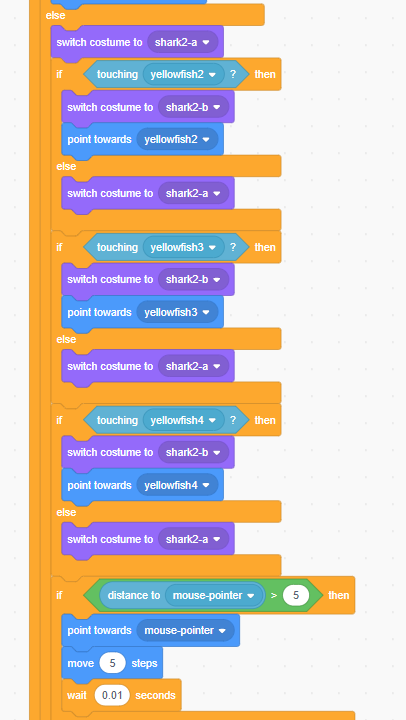
Shark Code
I have also loved playing around with the sprite’s costumes. This helps the designer (in this case me) target a specific audience.

Swimming Shark 
Eating Shark 
Sick Shark
I have also introduced a jelly fish that floats around (using a code that moves, waits and change direct) and changes colour if touched by the shark. When I first introduced movement to my jelly fish he was flying around the screen and bouncing off the walls like a bouncing ball. Not what I had in mind. However, by adapting the code and trial and error enabled me to slow down the movement to more drifting sequence. Challenge accepted and even though my code is not perfect, I am happy with the results.
So after completing this challenge, I thought I would try my hand at a different code game. I started with a chicken and hatching eggs. I then added in a bad egg (that resets the score, little legs appear and a hmm speech bubble). I then add another variable a grasshopper. Please find below my link.
https://scratch.mit.edu/projects/305201505/
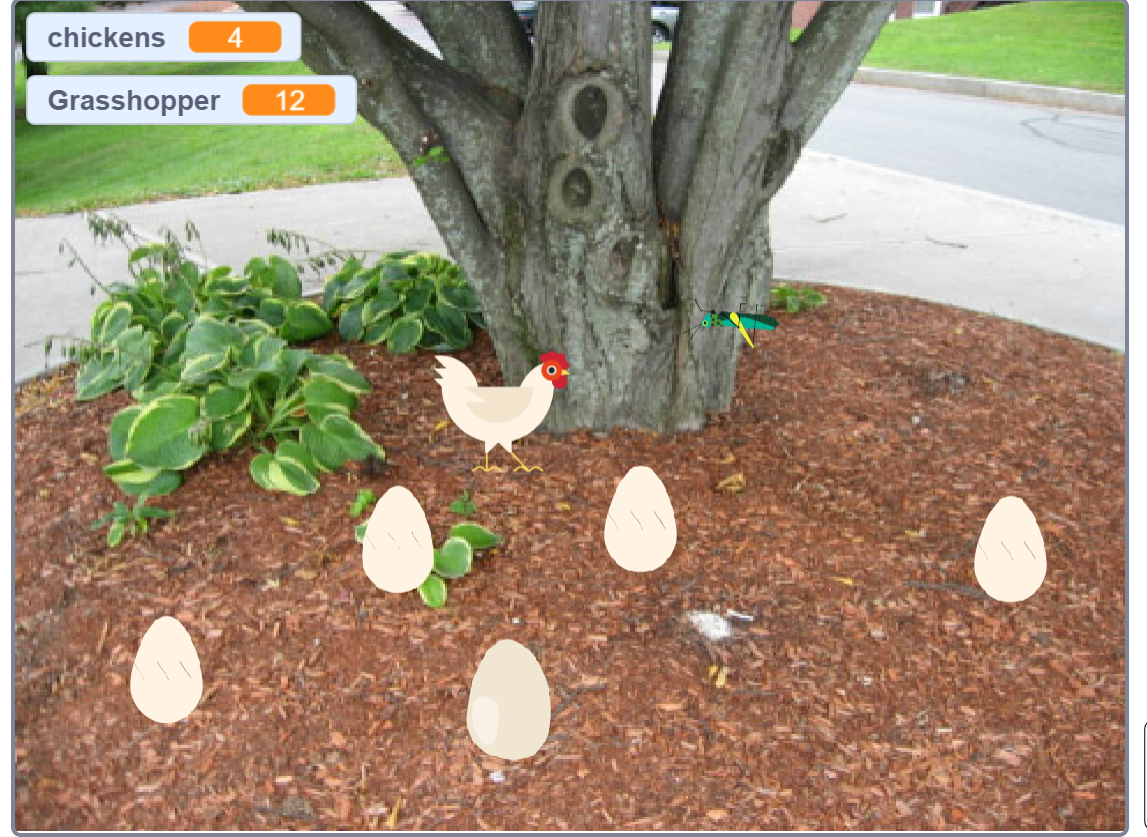
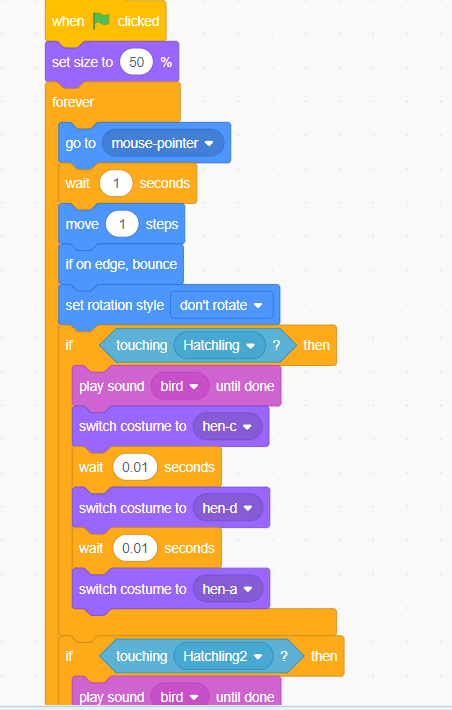

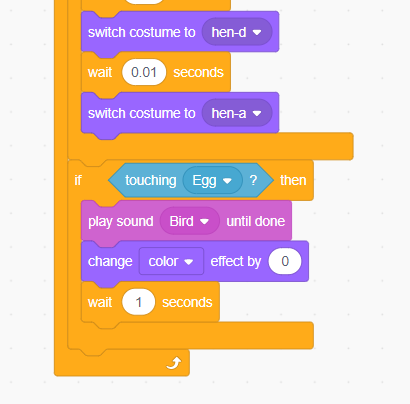
Code Chicken 
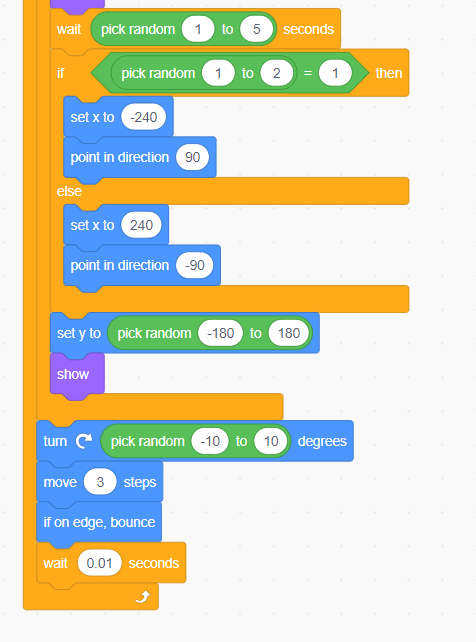
Code Grasshopper
I still would say that my code is not perfect, and there are areas that I could still improve on. However, at the start of this challenge I seriously questioned my ability to code. So if I can do it… anyone can.
I have had lots of fun experimenting with coding and have learnt a lot through trial and error. This highlights this exercise requires time, for students to explore and experiment, as well as for trial and error. I know that I was not able to get the coding right the first time, and I am now still going back to improve or add more to both coding game. I can see that students would be extremely engaged in the coding process and is fantastic for process to highlight computational thinking.
Cyber Safety
As with all activities in the classroom, safety is of paramount importance to our students, as teachers we have a duty of care (Australian Curriculum and Reporting Authority (ACARA), 2018). The use of computers in the classroom also highlight the need to teach students cyber-safety. It is of the utmost importance that they do not share their personal information online as it can be used for undesirable purposes. Students must fully understand the importance of strong passwords and keep it private, as it is a way to protect their identity. Also, how to behave whiles online by being kind and respectful. It is highly important that students are aware of how to use digital devices in a safe manner for their own protection. Below is great poster to remind students of these points and more about cyber safety by the Australian Government eSafety Commissioner. Other rich resources are available through their website on games and other resources to help teach cyber safety.

Teachers are also required through the Australian Professional Standards for Teachers as stated in Standard 4 to “Create and maintain supportive and safe learning environments”. Stardard 4.5 highlights the use of ICT safely, responsibly and ethically (AITSL, 2011).
Links to the Curriculum: Foundation to Year 2- Digital Technologies
Recognise and explore digital systems (hardware and software components) for a purpose (ACTDIK001). Students to learn that there are a wide variety of digital systems. For example a smartphone is a digital system that has software (apps), input components ( touch screen, keyboard, camera and microphone), output components (screen and speakers), memory components (silicon chips), communication components (SIM card, wi-fi, bluetooth).
Follow, describe and represent a sequence of steps and decisions (algorithms) needed to solve simple problems (ACTDIP004).
An algorithm is a computer procedure that is a lot like a recipe (called a procedure) and tells your computer precisely what steps to take to solve a problem or reach a goal. Coding is a list of instructions given to a computer to do something. Scratch is a platform where students can learn to code to make simple computer games (Australian Government, 2017). Through coding students learn that there’s often more than one way to solve a problem. “Learning to code encourages children to become creators, not just consumers, of the technology they use” (Australian Government, 2017).
Explore how people safely use common information systems to meet information, communication and recreation needs (ACTDIP005). Cyber safety is an important aspect for all those who use digital technologies (refer above).
Create and organise ideas and information using information systems independently and with others, and share these with known people in safe online environments (ACTDIP006) It is important for students to be able to share ideas and information with others is a safe way (refer to cyber safety above).
Reflection on Completing All of the Technology Challenge
Wow, these challenges have tested me, firstly personally and then professionally as a teacher (how to make these exercises suitable for the classroom). Aspects of personal safety, design thinking, cyber safety are all important aspects to consider. I did find the challenges a great way to learn and grow my skills. The sense of achievement has been very rewarding. This is also a very important aspects for my students to feel and achieve. I have also learnt a lot of very valuable new skills. Thank you for this rewarding journey.
References:
Australian Curriculum Assessment and Reporting Authority (ACARA). (2018). Technologies: Digital Technologies: Foundation to Year 2. Retrieved 11th May 2019 from https://bit.ly/2z9PE7K
Australian Government. (n.d). eSafety Commissioner. Cyber Rules Poster. Retrieved 11th May 2019 from
https://www.esafety.gov.au/about-the-office/resource-centre/poster-cyber-rules
Australian Government. (2017). Learning potential. retrieved 15th May 2019 from
https://www.learningpotential.gov.au/
Australian Institute for Teaching & School Leadership (AITSL), (2017). Australian
professional standards for teachers. Retrieved 11th May 2019, from https://www.aitsl.edu.au/teach/standards
 LaneWay 2 Teaching
Wonderful work Melinda. I love that you tried something different and made a chicken and egg variation! I also like that you included information on cyber safety. Thank you for sharing – well done!
LikeLike